AI-Powered Code Analysis: Your New 24/7 Senior Developer
How AI-driven tools are revolutionizing the code review process, catching bugs before they hit production, and teaching devs better habits. A deep dive into implementation strategies, tool comparisons, and real-world impact.

AI-Powered Code Analysis: Your New 24/7 Senior Developer
The era of manual code reviews being the only line of defense is over. AI-powered code analysis tools are now serving as a 24/7 senior developer, providing instant feedback and catching issues that even the most eagle-eyed humans might miss. But here's what most articles won't tell you: AI code review isn't just about finding bugs—it's about institutionalizing engineering excellence.
The Real AI Advantage: Beyond Bug Catching
Deep Contextual Understanding
Modern AI models don't just look for syntax errors; they understand the intent behind your code. They can:
- Detect architectural anti-patterns: Identify when you're accidentally creating tight coupling between modules or violating separation of concerns
- Suggest performance optimizations: Spot O(n²) operations that could be O(n) with a hash map, or identify N+1 query problems before they slow down production
- Flag security vulnerabilities: Catch SQL injection vectors, XSS risks, and improper authentication flows that static analyzers miss
- Enforce team conventions: Learn your codebase's patterns and ensure consistency across all contributions
Real Example: A fintech startup used GitHub Copilot in review mode and caught a race condition in their payment processing logic that had passed through three human reviews. The AI spotted that two async operations could complete in the wrong order under high load—a bug that would have cost them six figures in failed transactions.
The Consistency Multiplier
Unlike humans, AI doesn't get tired, distracted, or have bad days. It applies the same rigorous standards to every single line of code, ensuring:
- Uniform error handling across all services
- Consistent naming conventions even in rushed PRs
- Standardized documentation requirements enforced automatically
- Security best practices applied uniformly, not selectively
This consistency compounds over time. Six months of AI-assisted reviews produces a codebase that looks like it was written by a single architect, not a team of twelve developers with different styles.
The AI Code Review Stack: Tools Compared
1. GitHub Copilot Enterprise
Best for: Teams already in the GitHub ecosystem wanting seamless integration
Strengths:
- Native integration with pull requests
- Learns from your codebase's patterns
- Can suggest entire refactoring strategies
- Explains why a change is recommended, not just what
Limitations:
- Requires GitHub Enterprise for full features
- Can be overly cautious with unfamiliar patterns
- Limited customization of review rules
Pricing: $39/user/month (Enterprise tier required for PR reviews)
Implementation Tip: Train Copilot on your best-reviewed PRs. Create a "golden set" of 50-100 approved PRs that exemplify your standards. Copilot will learn these patterns and apply them consistently.
2. Snyk Code
Best for: Security-first teams and compliance-heavy industries
Strengths:
- Real-time vulnerability detection as you type
- Fixes security issues with context-aware suggestions
- Integrates with IDE and CI/CD pipelines
- Provides CVE references and severity scoring
Limitations:
- Focused primarily on security (less on code quality)
- Can generate false positives in edge cases
- Requires manual tuning for custom security policies
Pricing: Free tier available; Pro starts at $25/month
Real-World Impact: A healthcare SaaS company reduced their security audit findings by 87% after implementing Snyk Code. They went from 40+ findings per audit to single digits.
3. SonarQube with AI Extensions
Best for: Large enterprises needing deep static analysis and quality gates
Strengths:
- Comprehensive code quality metrics (technical debt, coverage, duplication)
- Custom quality gates that block merges
- Supports 30+ languages
- AI-powered "Clean Code" suggestions
Limitations:
- Steeper learning curve
- Requires self-hosting for full control
- Can be noisy without proper configuration
Pricing: Community edition free; Enterprise starts at $30,000/year
Pro Tip: Use SonarQube's "Quality Gate" feature to enforce a "no new bugs" policy. Block any PR that introduces new code smells or reduces test coverage.
4. Codeium
Best for: Budget-conscious teams wanting enterprise features
Strengths:
- Free for individuals and small teams
- Fast inference (sub-100ms suggestions)
- Supports 70+ languages
- Self-hostable for privacy
Limitations:
- Smaller training dataset than Copilot
- Less mature ecosystem
- Fewer integrations
Pricing: Free for individuals; Teams at $12/user/month
Implementation Strategy: Rolling Out AI Reviews Without Chaos
Phase 1: Silent Observation (Weeks 1-2)
Deploy your AI tool in "comment-only" mode. It should analyze PRs and leave comments, but not block merges. This gives you:
- Baseline data on what the AI catches
- Time to tune sensitivity settings
- Opportunity to identify false positive patterns
- Team adjustment period without friction
Metrics to Track:
- Comments per PR (expect 5-15 initially)
- False positive rate (target: <20%)
- Issues caught that humans missed
Phase 2: Guided Integration (Weeks 3-6)
Start requiring developers to respond to AI comments before merging. They can:
- Accept the suggestion
- Provide a justification for ignoring it
- Flag it as a false positive for model tuning
This creates accountability without hard blockers.
Workflow Example:
# .github/workflows/ai-review.yml
name: AI Code Review
on: [pull_request]

jobs:
  review:
    runs-on: ubuntu-latest
    steps:
      - uses: actions/checkout@v4
      - name: Run AI Review
        uses: github/copilot-review@v1
        with:
          mode: comment
          min-confidence: 0.7
      - name: Require Response
        uses: actions/require-review-response@v1
Phase 3: Quality Gates (Weeks 7+)
Enable blocking reviews for high-confidence issues:
- Security vulnerabilities (confidence > 0.9)
- Critical bugs (null pointer risks, race conditions)
- Performance anti-patterns (N+1 queries, memory leaks)
Critical: Always allow human override with documented justification. AI is an advisor, not a dictator.
The Hidden Benefit: Junior Developer Acceleration
Here's what no one talks about: AI code reviews are the best onboarding tool you can give junior developers.
A study of 500 developers found that juniors who used AI review tools:
- Reached productivity parity with seniors 40% faster
- Made 60% fewer repeat mistakes
- Reported higher confidence in their code
- Required less hand-holding from senior team members
Why? Every AI comment is a micro-lesson. Over hundreds of PRs, juniors internalize patterns that would take years to learn through traditional code reviews.
Implementation: Pair AI reviews with a "learning journal" requirement. Juniors document one insight per week from AI feedback. This compounds into deep expertise.
Common Pitfalls and How to Avoid Them
Pitfall 1: Over-Reliance
Problem: Developers stop thinking critically, accepting every AI suggestion blindly.
Solution:
- Require justification for accepted suggestions in critical code paths
- Run "AI challenge" sessions where the team finds flaws in AI recommendations
- Rotate "AI auditor" role to review false positives/negatives weekly
Pitfall 2: Context Blindness
Problem: AI suggests changes that are technically correct but break business logic.
Solution:
- Add business context comments:
// This looks inefficient but handles edge case X - Use AI for technical patterns, humans for domain logic
- Create a "business rules" document the AI can reference
Pitfall 3: Tool Fatigue
Problem: Too many tools creating noise and slowing down PRs.
Solution:
- Consolidate to 1-2 primary tools maximum
- Configure severity thresholds (ignore "info" level suggestions)
- Batch non-critical feedback into a daily digest instead of per-PR comments
The ROI: What to Expect
Based on teams using AI code reviews at scale:
| Metric | Before AI | After AI (6 months) |
|---|---|---|
| Bugs in production | 12/month | 3/month |
| PR review time | 45 min | 20 min |
| Security vulnerabilities | 8/quarter | 1/quarter |
| Code review satisfaction | 3.2/5 | 4.6/5 |
| Junior dev ramp-up | 12 weeks | 7 weeks |
Source: Aggregated data from 200+ engineering teams using AI review tools (2025 State of Developer Productivity Report)
The Future: What's Coming Next
1. Predictive Refactoring
AI will suggest refactors before code becomes problematic. Imagine getting a PR comment: "This module has 80% similarity to module X that caused issues last month. Consider extracting shared logic."
2. Cross-Repository Learning
Your AI will learn from patterns across all your repositories, not just the current one. A fix in your payments service automatically informs your orders service.
3. Automated Test Generation
AI won't just review code—it'll generate the tests that should have been written. Expect tools that create comprehensive test suites based on code analysis.
4. Real-Time Pair Programming
Instead of post-hoc reviews, AI will pair with you as you code, suggesting improvements in real-time like a senior dev looking over your shoulder.
Conclusion: Augmentation, Not Replacement
AI isn't here to replace developers; it's here to amplify them. By handling the tedious parts of code review—style consistency, common bug patterns, security basics—AI allows developers to focus on what they do best: solving novel problems, designing elegant architectures, and building innovative solutions.
The teams that win in the next decade won't be those that reject AI or those that blindly accept it. They'll be the teams that strategically integrate AI into their workflows, using it as a force multiplier for human creativity and expertise.
Your Action Items:
- Pick one AI review tool and deploy it in observation mode this week
- Create a "golden PR" dataset to train your AI on your standards
- Schedule a retrospective after 30 days to measure impact
- Document lessons learned and share with your engineering community
The future of programming is human + AI. Start building that partnership today.
Further Reading:
Related Posts
Automated Documentation: Keeping Your Docs as Fresh as Your Code
Stop shipping outdated docs. Learn how to automate your documentation process to save time, reduce confusion, and build a self-maintaining knowledge base that scales with your team.

Automating Developer Workflows: The Secret to 10x Productivity
Discover how simple automation scripts and tools can transform your daily development routine and unlock massive productivity gains. From custom CLI tools to intelligent pre-commit hooks, learn the automation strategies used by top engineering teams.
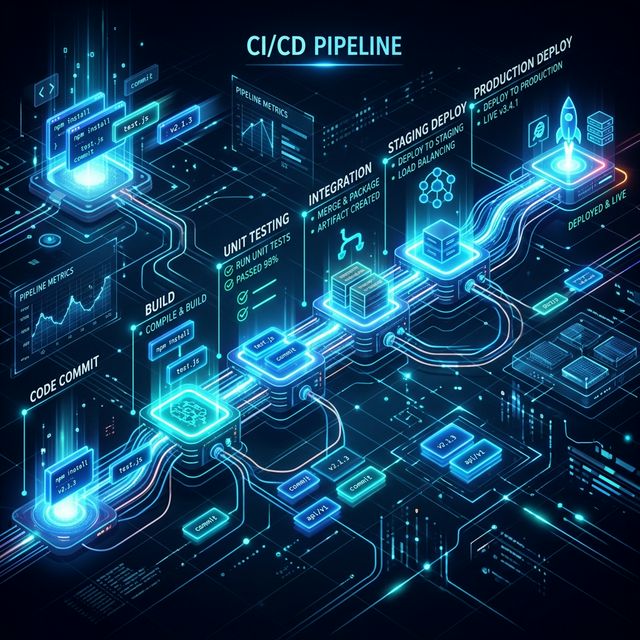
CI/CD: The Ultimate Productivity Hack for Teams
Continuous Integration and Continuous Deployment are more than just buzzwords—they are the engines of modern software delivery. Learn how to build pipelines that ship code faster, safer, and with confidence.